
AI Bookkeeping for Small Businesses: What AI Should Handle and What You Should Never Automate

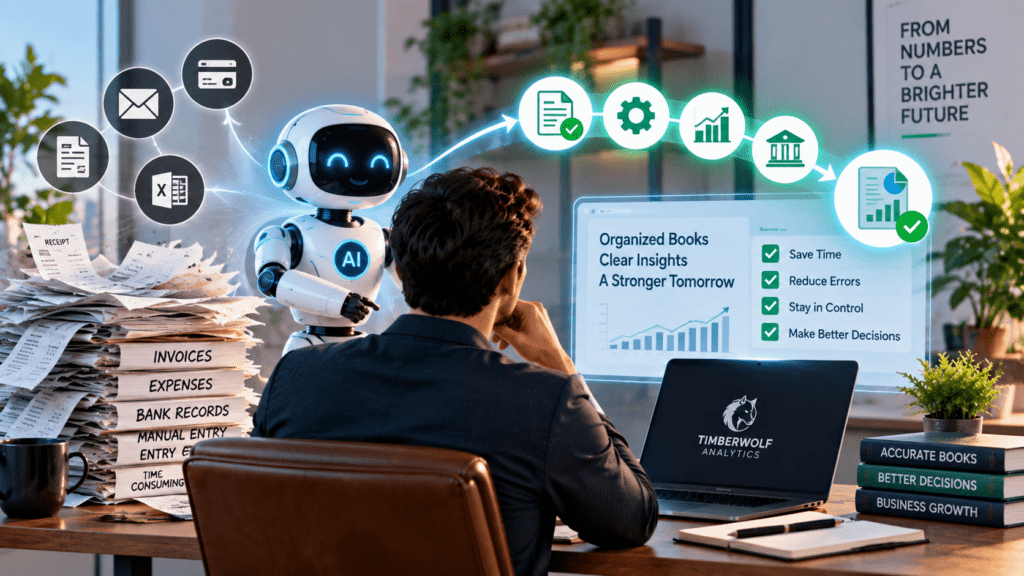
AI is transforming the way small businesses handle bookkeeping. Tasks that used to take hours, like reading receipts, entering invoice data, matching transactions, and spotting unusual activity, can now be done or supported by automated accounting systems.

But there is an important question every business owner should ask before turning on more automation:
How much of your bookkeeping should AI actually control?
The answer is not “everything.”

The best way for small businesses to use AI in bookkeeping is to combine automation with human oversight. Let AI handle repetitive, high-volume tasks, while people handle judgment, approvals, exceptions, and key financial decisions.

This guide covers which bookkeeping tasks AI should automate, which ones still need human oversight, and how small businesses can use automation without losing control of their finances.

Quick Answer:

What Should AI Automate in Bookkeeping?

AI works best for bookkeeping tasks that are repetitive, structured, and follow clear rules.

These can include:

  • Receipt and invoice data extraction

  • Transaction matching

  • First-pass expense categorisation

  • Duplicate detection

  • Bank feed processing

  • Recurring transaction identification

  • Exception and anomaly detection

  • Draft financial summaries

However, AI should never have full control over important actions like approving payments, changing bank details, making tax decisions, or completing financial transactions without a human review.

The safest model is simple:
Let AI handle routine work, review anything unusual, and make sure people are responsible for financial judgment and final decisions.
This approach matches current AI bookkeeping advice and research. AI can improve efficiency, but human oversight is still needed for judgment, accountability, and major financial decisions.

What Is AI Bookkeeping?

AI bookkeeping uses artificial intelligence and automation to help record, organise, match, and review financial information.

Unlike older accounting software that follows set rules, AI-powered systems can spot patterns, recognise documents, suggest categories, and flag transactions that may need a closer look.

For a small business, a bookkeeper AI system may help with tasks such as:

  • Reading receipts and invoices

  • Extracting transaction details

  • Suggesting account categories

  • Matching payments with invoices

  • Identifying duplicate transactions

  • Flagging unusual expenses

  • Preparing information for review

But automation is only as good as the information, rules, permissions, and review process that support it.

That’s why businesses should see AI bookkeeping as part of their financial workflow, not just another software tool.Keeping Rule:

Automate Volume, Not Judgment

A useful way to decide whether a task should be automated is to ask:
Does the correct answer come directly from the data, or does it require knowledge and judgment about the business?
If you can find the answer directly in a receipt, invoice, or transaction record, AI can usually help with that task. If it depends on context, business policy, tax treatment, or strategic judgment, human oversight becomes much more important.

For example:

Receipt captureAutomateReview exceptions
Invoice data extractionAutomateVerify unusual information
Transaction matchingAutomateResolve mismatches
Expense categorizationSuggestReview unusual transactions
Bank reconciliationAssistReview unresolved differences
Financial reportsGenerateInterpret
Cash flow forecastingSupport analysisReview assumptions
Payment approvalAssist workflowFinal approval
Tax decisionsSupport researchProfessional judgment
Financial strategyProvide insightsMake decisions

Splitting up these responsibilities makes your automated accounting system more reliable.

Recent guidance similarly emphasises that AI performs particularly well at reading documents, matching data, and identifying anomalies, while business-specific context and professional judgment remain human responsibilities.

What AI Should Handle in Small Business Bookkeeping

1. Receipt and Invoice Data Capture

Manual data entry is one of the easiest areas to automate.

AI-powered systems can extract information such as:

  • Vendor name

  • Date

  • Amount

  • Invoice number

  • Payment terms

  • Tax-related fields

This reduces repetitive typing and helps keep documents organised.

Best practice
AI should capture the data, but unusual or incomplete documents should go into a queue for review. If the system isn’t sure about an amount or vendor, it should flag the transaction instead of guessing silently.
 
2. Transaction Matching
Transaction matching can be highly repetitive.

AI can help connect:

  • Bank transactions

  • Credit card transactions

  • Customer payments

  • Vendor invoices. This saves time you’d otherwise spend searching through financial records by hand. Financial records.

However, you should still review unres. Just because two transactions look alike doesn’t mean they’re the same transaction.
For example, two payments to the same vendor may represent completely different business expenses.
3. First-Pass Expense Categorisation
AI accounting for small businesses can also help suggest categories based on:

  • Vendor history

  • Previous transactions

  • Transaction descriptions

  • Historical coding patterns. This can save a lot of time when dealing with recurring expenses. expenses.

But this is also where bookkeeping mistakes can quietly multiply.

If the original categorisation pattern is incorrect, AI may learn and repeat that error.

Best practice
Allow AI to suggest routine categories, but review:

  • New vendors

  • Unusual expenses

  • Large transactions

  • Rare categories

  • Transactions that affect important financial metrics. Automation should speed up the review process, not eliminate it. te it.

4. Identifying Duplicates and Unusual Transactions.

One big advantage of AI is that it can quickly scan lots of financial data to find patterns. terns.

A bookkeeping AI agent may help identify:

  • Possible duplicate invoices

  • Unexpected spending

  • Unusual payment amounts

  • Missing transactions

  • But that doesn’t mean AI always knows if something is truly wrong.
Instead, it can help create an exception list for a human to investigate.

That is an important distinction: AI should mostly serve as an early warning system, not as the one making final decisions. er.
AI Bookkeeping for Small Businesses: What AI Should Handle and What You Should Never Automate

What You Should Never Fully Automate. Not every financial task should go straight from automation to action.

Some activities create financial obligations or require professional judgment.

These should have clear human approval points.

1. Payment Approval and Money Movement

AI can help prepare a payment workflow.

It may organise invoices, match supporting documents, or flag missing information.

However, the final authority to:

  • Approve payments

  • Release transfers

  • Change payment amounts

  • Add new payees

should have clear human controls.
The same applies to vendor bank detail changes. These actions can directly affect your finances and shouldn’t be treated like routine data entry. ry.

Current AI control guidance recommends separating systems that analyse or prepare information from the people who authorise consequential actions.

2. Tax and Compliance Judgment

AI can assist with research and organisation.
It can summarise information and help identify possible issues.

But businesses should not assume that an AI-generated answer automatically reflects the correct tax treatment or regulatory requirement for their specific situation.

Tax, compliance, statutory reporting, and other high-stakes areas often require qualified professional judgment. A confident but wrong answer can cost much more than any time you save with automation.

3. Strategic Financial Decisions

AI can analyse numbers. It can’t fully understand what matters most to your business.

For example, a system may identify that reducing payroll would improve short-term cash flow.

But it does not automatically understand:

  • Which employees are essential

  • Customer relationships

  • Growth opportunities

  • Competitive risks

  • Long-term business strategy

Financial data provides information.

Human leadership provides context. That’s why good bookkeeping should help you make better financial decisions, not just create more automated reports.

How AI Can Create Bookkeeping Mistakes. One of the biggest risks with automation isn’t just obvious mistakes made by AI.

The bigger problem is when AI makes a mistake that seems correct and no one notices. It incorrectly categorises a transaction.

  1. The transaction is posted automatically.

  2. The error affects financial reports.

  3. No one reviews the exception.

  4. The same pattern is repeated in future transactions.

Over time, a small mistake can turn into a bigger reporting issue. Professional guidance continues to highlight concerns about AI errors and the need for human judgment and oversight in accounting workflows.

The solution is not avoiding AI.
The solution is to set up a process that helps you catch errors early. Oversight Framework for AI Bookkeeping

Small businesses don’t need a complex enterprise governance system. It provides much better control.

Step 1: Define What AI Is Allowed to Do

Create a list of specific tasks.

For each task, define:

  • What information AI can access

  • What output it can produce

  • Whether it can create a draft

  • Whether human approval is required

For example:

Expense categorisation: AI can suggest.
Final approval: Human reviews exceptions.

Step 2: Use Review Queues

Instead of having someone review every transaction the same way, set up a process to handle exceptions.

Review when they involve:

  • New vendors

  • Large amounts

  • Unusual categories

  • Missing documentation

  • Low-confidence suggestions

  • Duplicate warnings

This focuses on the highest-risk areas. dit Trail
You should be able to trace every important transaction.

Ideally, a reviewer should be able to understand:

  • Where the transaction came from

  • Which document supported it

  • What AI suggested

  • What was changed

  • Who approved the final result?

This becomes especially important during month-end review and when a good audit trail helps you see not just what happened, but also why a certain financial record exists.
AI Bookkeeping for Small Businesses: What AI Should Handle and What You Should Never Automate

Automation doesn’t take away the need to reconcile your accounts.

Regular reconciliation remains one of the best ways to identify:

  • Missing transactions
  • Duplicate entries
  • Incorrect entries. AI can help make reconciliation faster. Make reconciliation faster.
But the goal remains the same:

Make sure your financial records match your actual financial activity. ecisions

This is where AI bookkeeping can really make a difference keeping work faster.

A better goal is:

Use less time collecting data and more time understanding what it means. Business owners can spend more attention on questions such as:

  • Is cash flow improving?
  • Which expenses are increasing?
  • Are margins changing?
  • Which customers are most profitable?
  • How much cash is available for growth?
  • What could happen under different financial scenarios?

This naturally links your bookkeeping, financial reports, and cash flow forecasts. The next step is understanding what those numbers may mean for future decisions.

This is also where TimberWolf Analytics’ Fractional CFO services can add value by helping businesses move from recording financial information toward forecasting, planning, and strategic decision-making.

Will AI Replace Accountants and Bookkeepers?

In short, AI is more likely to change how the work is done than to replace professional judgment fully. AI can automate many repetitive tasks that traditionally consume bookkeeping time.

But bookkeeping and accounting involve more than entering transactions. Professionals may still be needed to:

  • Review unusual activity
  • Apply business context
  • Exercise professional judgment
  • Manage controls
  • Interpret financial reports
  • Address tax and compliance issues
  • Help business owners make decisions

Research in 2026 still shows that AI can’t fully replace human judgment in accounting, especially for accountability and complex decisions.

The likely direction is not simply:

AI vs. Bookkeeper

Instead, the trend is moving toward: AI + Bookkeeper + Better Financial Oversight


Final Thoughts: Don’t Put Your Books on Autopilot

AI can make small business bookkeeping faster and more efficient.

It can reduce repetitive work, improve document processing, help match transactions, and flag unusual financial activity.

But being faster doesn’t mean you control your finances.

The most reliable approach to AI bookkeeping for small businesses is to establish clear boundaries:

Let AI handle:

  • Data capture
  • Repetitive processing
  • Matching
  • First-pass categorisation
  • Pattern detection
  • Exception identification

Keep humans responsible for:

  • Final approvals
  • High-risk transactions
  • Payment decisions
  • Tax and compliance judgment
  • Financial interpretation
  • Business strategy

The goal isn’t to automate everything. The goal is to automate the right things.

When AI handles routine work and people stay involved, small businesses can cut manual tasks without losing confidence in their financial information.

The best AI bookkeeping system, therefore, isn’t one that removes humans from the process.

It helps people spend less time on repetitive tasks and more time making smart financial decisions.


Leave a Reply

Your email address will not be published. Required fields are marked *

Newsletter

Sign up with your email address to receive 🐺 The 2026 Fortress Checklist

Recent Posts